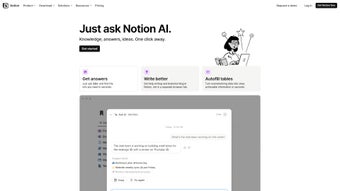

Download Notion AI – Smart Writing Assistant & Productivity Tool
Overview
Notion AI is a subscription‑based web application that brings artificial intelligence directly into the Notion workspace. Designed for individuals, teams, and enterprises, Notion AI works as an integrated writing assistant that can rewrite complex sentences, translate content into multiple languages, and fine‑tune tone and voice to match your brand guidelines. Its powerful Q&A engine pulls answers from the very documents you already own, eliminating the need to search through endless pages.
Beyond text, Notion AI can ingest large datasets, summarize lengthy reports, and auto‑generate actionable tasks, turning raw information into clear next steps. Security is a core pillar: all data is encrypted at rest and in transit, and enterprise customers benefit from SAML Single Sign‑On and granular permission controls. Whether you’re drafting a blog post, preparing a project brief, or extracting insights from a spreadsheet, Notion AI streamlines the workflow and keeps you focused on the creative part of your job.
The tool is continuously updated, with new prompts and capabilities added each month, ensuring you always have a cutting‑edge AI partner at your fingertips.
Key Features That Set Notion AI Apart
- AI‑Powered Writing Assistant: Rewrites, expands, shortens, and improves any block of text while preserving meaning.
- Multilingual Translation: Instantly translate content between 30+ languages without leaving Notion.
- Tone & Voice Editing: Adjust formal, casual, persuasive, or technical tone with a single click.
- Contextual Q&A: Ask questions and receive answers drawn from your own Notion pages and databases.
- Data Summarization: Turn long reports, meeting notes, or research papers into concise executive summaries.
- Task Generation: Convert bullet points, meeting minutes, or project outlines into actionable tasks with due dates.
- Advanced Security: End‑to‑end encryption, role‑based permissions, and optional SAML SSO for enterprises.
- Seamless Integration: Works natively in Notion on web, desktop (Windows, macOS), and mobile (iOS, Android) apps.
- Continuous Updates: Monthly AI model improvements and new prompt libraries keep the tool fresh.
- Collaboration Friendly: Share AI‑generated content instantly with teammates, preserving version history.
Each feature is built to reduce friction in everyday knowledge work. For example, the Q&A function eliminates the time spent digging through archived pages—just type your query, and Notion AI surfaces the exact paragraph where the answer lives. The task generation engine uses natural language processing to recognize verbs and deadlines, automatically populating your Notion task board. These capabilities not only boost individual productivity but also harmonize team collaboration, making Notion AI a true “all‑in‑one” productivity tool for modern workplaces.
Installation, Usage & Compatibility
How to Download and Install Notion AI
Getting started with Notion AI is straightforward. First, download the free Notion app for your platform (Windows, macOS, iOS, or Android). Once installed, sign in with your existing Notion account or create a new one. Inside the app, navigate to Settings & Members → Plans & Billing and select the “Notion AI” add‑on. After confirming the subscription (monthly or annual), the AI features become available instantly—no separate installer or plug‑in is required.
Using Notion AI in Your Daily Workflow
To invoke the AI, simply click the AI button that appears at the top of any block or type /ai to open the prompt palette. From there you can choose a preset command (e.g., “Summarize,” “Translate,” “Rewrite”) or ask a custom question. The response appears directly within the page, preserving formatting and links. For collaborative projects, you can tag teammates in AI‑generated content, and they can edit or approve the suggestions in real time.
Supported Operating Systems
- Windows 10 and later
- macOS 11 (Big Sur) and later
- iOS 14 and later (iPhone & iPad)
- Android 8.0 (Oreo) and later
- Web browsers: Chrome, Edge, Safari, Firefox (latest versions)
Because Notion AI runs in the cloud, the heavy lifting happens on Notion’s servers, meaning your device only needs an internet connection and a modern browser. Updates are pushed automatically, so you never have to download a new version manually. Whether you’re on a desktop workstation, a laptop, or a mobile device, Notion AI delivers a consistent, secure experience.
Pros & Cons + Frequently Asked Questions
Pros
- Integrated directly into Notion – no extra apps or extensions.
- Powerful AI that handles writing, translation, summarization, and task creation.
- Robust security with encryption, permission controls, and SAML SSO.
- Cross‑platform support for Windows, macOS, iOS, Android, and web.
- Continuous improvements keep the AI up‑to‑date with the latest language models.
Cons
- Subscription‑based pricing may be a barrier for solo users on a tight budget.
- AI output sometimes requires manual editing for niche industry terminology.
- Full feature set is only available on paid plans; free tier has limited AI credits.
FAQ – Your Notion AI Questions Answered
Is Notion AI available for free?
Notion AI offers a limited free trial with a set number of AI credits. After the trial, you need to subscribe to a paid plan to continue using the AI features.
Can I use Notion AI on mobile devices?
Yes. Notion AI works seamlessly on iOS and Android apps. The AI button appears in the same location as on the desktop version, allowing you to generate content on the go.
How does Notion AI keep my data secure?
All data is encrypted in transit (TLS) and at rest (AES‑256). Enterprise plans can enforce SAML Single Sign‑On and custom permission schemas, ensuring that only authorized users can access AI‑generated content.
What languages does the translation feature support?
Notion AI currently supports translation between more than 30 languages, including English, Spanish, Mandarin, French, German, Japanese, Korean, Portuguese, and Arabic.
Will Notion AI work with my existing Notion databases?
Absolutely. Notion AI reads and interacts with every page, table, and database in your workspace, enabling AI‑driven queries and task generation without any additional configuration.
Conclusion – Is Notion AI Right for You?
Notion AI stands out as a versatile, secure, and continuously evolving tool that brings the power of artificial intelligence to the heart of the Notion ecosystem. If you already rely on Notion for note‑taking, project management, or knowledge bases, adding AI can dramatically reduce the time spent drafting, translating, and summarizing content. The subscription model reflects the premium nature of the technology, but the productivity gains—especially for teams that need rapid insight extraction and collaborative editing—often justify the cost. For freelancers and small teams, the free trial provides a risk‑free window to evaluate whether the AI’s suggestions match your workflow. In short, whether you’re a writer looking for a smart co‑author, a product manager needing instant summaries, or an enterprise seeking secure AI integration, Notion AI offers a compelling blend of features, security, and cross‑platform accessibility.
Ready to supercharge your Notion workspace? Download Notion AI today and experience a new level of productivity—secure, fast, and powered by the latest AI research.



.png)



